


Advanced Home Assistant Automation Logic with LinknLink eMotion
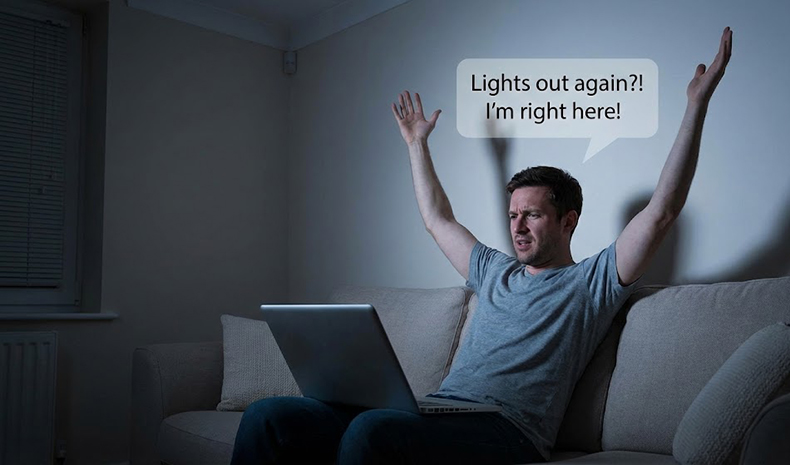
As loyal Home Assistant users, we all know the struggle: traditional PIR sensors can be... well, "dumb." We’ve all been there: you’re deep in a book on the sofa or focused on code at your desk, and suddenly—click—the living room lights cut out because the sensor decided you no longer exist. Then comes the "dance"—waving your arms like a conductor in the dark, hoping the sensor sees you again.
Or worse, the hallway light triggers unnecessarily just because it saw a shadow pass through the open door.
Today, I’m sharing how to use the LinknLink eMotion Series (Pro & Ultra) to build true "God-Mode" automation in Home Assistant. We are moving beyond simple "On/Off" triggers to a home that genuinely understands your position and intent.
Tip 1: Use "Spatial Mapping" to Define Logic Zones
The core advantage of the eMotion Pro is that it doesn’t treat your room as a binary "yes/no" black box, but as a map. By utilizing 2.4G/24G radar ranging, we can get creative with our HA logic:
- The "Pass-Through Filter" (Zone 1: 0-1m): If your home office is right next to a busy hallway, standard sensors flicker your lights every time someone walks past. In HA, you can set the logic: "Only turn on the main desk light if presence is detected in Zone 2 (The Desk); treat triggers in Zone 1 as a counter or ignore them completely.". This effectively creates an invisible barrier against false triggers.
- The "Deep Work" Anchor (Zone 2: 1-3m): This is where mmWave shines. It detects the micro-movements of your chest as you breathe. HA Automation Idea: Trigger: Presence detected in Zone 2 for > 5 minutes. Action: Activate "Focus Mode" (Close blinds, play white noise, adjust lights to reading temp). No more lights turning off while you are typing motionless!
- The Long-Range Sentry (Zone 4: 5m+): Use the long-range detection as a security layer. HA Automation Idea: Condition: Time > 11:00 PM AND Zone 4 status becomes "Detected". Action: Send a low-priority notification to your phone or flash the bedside lamp red as a gentle warning.
Tip 2: MQTT & Zero-Latency Local Control
For power users, cloud latency is the enemy. Waiting two seconds for a light to turn on destroys the experience. The LinknLink eMotion Ultra solves this with an MQTT-first design philosophy.
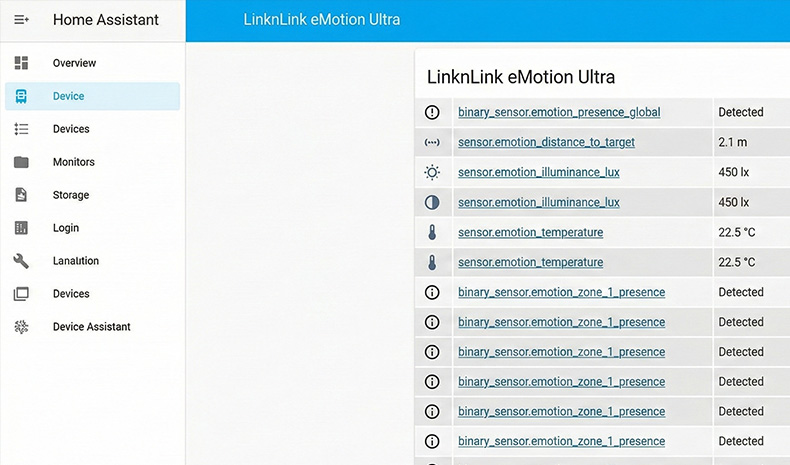
- Plug-and-Play Entity Discovery: Simply configure your MQTT broker parameters, and the device will immediately populate Home Assistant with an array of entities. No complex YAML coding is required—all sensor data (presence, distance, lux, temp) is instantly available.
- Privacy & Speed: All logic is processed within your local network. Your data never leaves your four walls, and automations trigger in milliseconds. This means you can write complex Node-RED flows without worrying about internet outages breaking your house.
Tip 3: More Than Just Presence—Give Your Home "Environmental Awareness"
The eMotion Ultra is more than just a radar; it is a localized environmental monitoring station. By leveraging its multi-dimensional data, we can make automations significantly smarter.
Try adding these conditions to your Node-RED or HA automations:
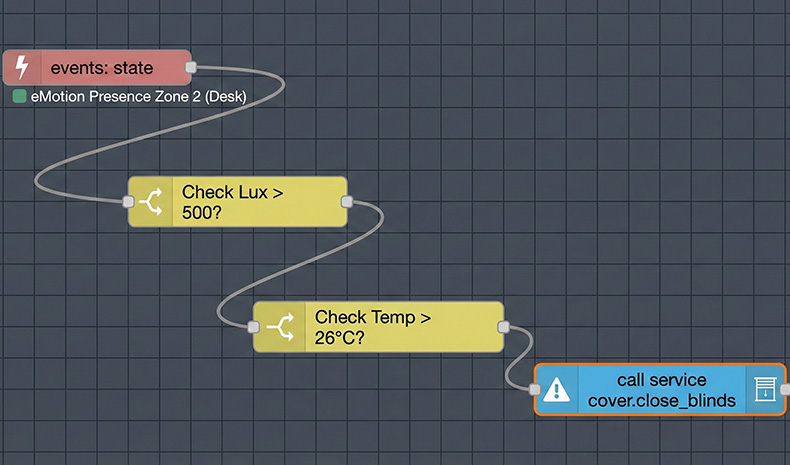
- Smarter Blind Control: Stop closing blinds based solely on a time schedule. Combine eMotion Ultra’s Lux and Temperature sensors: “Only close the blinds IF Indoor Temp > 26°C AND Lux > 500.” This prevents the room from overheating during a sunset but keeps natural light coming in on gloomy, overcast days.
- Retrofit Legacy Appliances: The eMotion Ultra’s "One-Click" IR synchronization allows you to map old AC units directly into HA. Combine this with Location Tracking (Zone 3: The Sofa): “If presence is detected in Zone 3 for > 10 mins AND temp is high -> Turn on AC and swing vents toward the sofa.”
The ultimate goal of a smart home isn't to make you pull out your phone to control things; it’s for the devices to handle tasks before you even ask. The LinknLink eMotion series, with its precise mmWave sensing and seamless Home Assistant integration, is designed exactly for this kind of "silent" intuition.
I hope this guide helps "declutter" your HA dashboard and makes your automation logic more efficient!
[Watch Video: Step-by-step guide to configuring eMotion entities in HA]