LinknLink iSG Box SE: Super Smart Home Gateway with Home Assistant
LinknLink iSG Box SE: Super Smart Home Gateway with Home Assistant
Couldn't load pickup availability
Instructional video by Csongor Varga
Instructional video by Alessandro Simonitto
Instructional video by Smart Home Junkie
iSG Box SE FAQ
Does iSG Box SE come with Home Assistant preinstalled?
Yes. iSG Box SE is designed as a compact Home Assistant gateway, so you can start building dashboards, local automations, and device integrations without setting up a separate server.
Can iSG Box SE run local automations without a cloud subscription?
Yes. Core Home Assistant automations can run locally on your home network. Remote access, voice assistant workflows, and third-party integrations depend on the services and settings you choose.
Does iSG Box SE support Zigbee or Z-Wave devices?
iSG Box SE can expand to Zigbee and Z-Wave workflows with compatible USB sticks. For Zigbee setups, use the LinknLink ZG-808Z Zigbee 3.0 USB Dongle. The USB stick is sold separately, and final device support depends on your Home Assistant integration and regional device standards.
What is the difference between iSG Box SE and iSG Display Max?
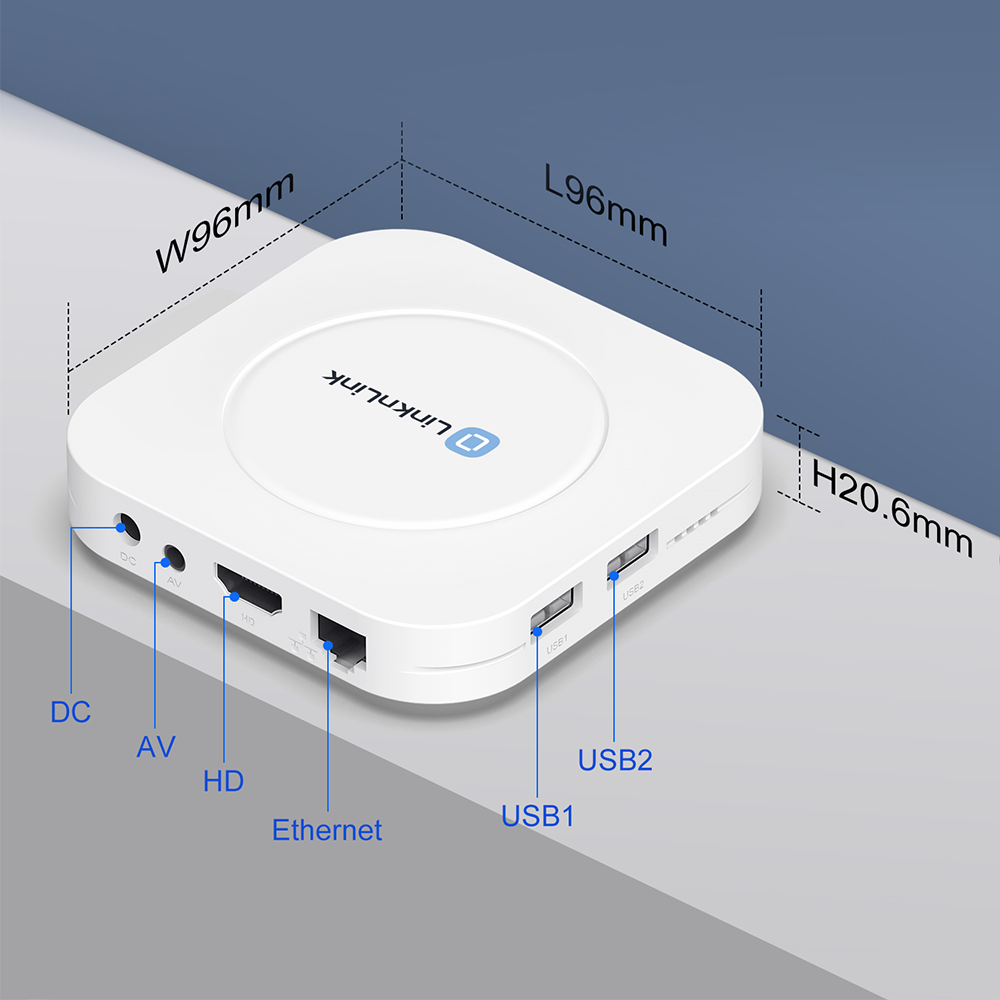
Choose iSG Box SE if you want a compact gateway for a cabinet, TV area, or hidden installation. Choose iSG Display Max if you also want a built-in touchscreen dashboard for room control.
Can iSG Box SE work as a media center?
Yes. iSG Box SE is built for smart home control and media playback, making it useful near a TV or shared living room setup.
Who should choose iSG Box SE?
Choose iSG Box SE if you want an affordable Home Assistant gateway for local automation, smart device management, expansion through USB accessories, and a compact always-on controller.