THIS SMART HOME HUB BLEW ME AWAY - LinknLink iSG Display Max Review
Watch on YouTube
THIS SMART HOME HUB BLEW ME AWAY - LinknLink iSG Display Max Review
Watch on YouTube
LinknLink iSG Display Max: Суперумный домашний шлюз с Home Assistant
LinknLink iSG Display Max: Суперумный домашний шлюз с Home Assistant
Обычная цена
$179.99 USD
Обычная цена
$219.99 USD
Цена со скидкой
$179.99 USD
Цена за единицу
за
Стоимость доставки рассчитывается при оформлении заказа.
Не удалось загрузить сведения о доступности самовывоза

Hands-on video
See iSG Display Max with Home Assistant
Paul Hibbert of Hibbert Home Tech explores the dedicated touchscreen format and the everyday Home Assistant dashboard experience.
Home Assistant On A Tablet!? : LinknLink Super Gateway MAX · Paul Hibbert / Hibbert Home Tech

Выделенный центр управления Home Assistant
Планшеты созданы для всего. iSG Display Max создан для одной цели: управления вашим умным домом. Благодаря постоянной работе, встроенному Zigbee, локальной автоматизации, настенному креплению и управлению, ориентированному на конфиденциальность, он обеспечивает более интеллектуальную и надежную работу с Home Assistant.
Чем iSG Display Max отличается от обычного планшета.
| Нуждаться | Общая таблетка | iSG Display Max |
|---|---|---|
| Основная роль | Общие вычисления, приложения, развлечения и личное использование | Выделенный командный центр Home Assistant для ежедневного управления умным домом |
| Всегда включенная панель управления | Может спать, блокироваться, обновляться или требовать зарядки | Разработан, чтобы оставаться готовым к работе в качестве фиксированной панели управления умным домом. |
| Подключение к умному дому | Обычно зависит от отдельных хабов, приложений или мостов. | Создан для управления Home Assistant со встроенным Zigbee и дополнительным расширением. |
| Общий доступ к дому | Часто привязаны к учетной записи, приложениям или уведомлениям одного человека. | Общая панель управления семейными сценами, комнатами, климатом, безопасностью и энергопотреблением. |
| Направление конфиденциальности | Создано как персональное устройство с широкими разрешениями для приложений. | Предназначен для локального управления умным домом с упором на конфиденциальность |

Создан для Home Assistant, а не перепрофилирован из чего-то другого
Большинство панелей умного дома изначально представляют собой планшеты.
iSG Display Max был разработан специально для Home Assistant и имеет специальный интерфейс, постоянную работу и встроенную возможность подключения к умному дому с первого дня.
Всегда включен. Всегда готов.
Никаких предупреждений о батарее. Нет спящего режима. Нет переключения приложений.
Ваша панель управления всегда доступна, когда вам это нужно, будь то первое, что вы проверяете утром, или последнее, что вы делаете перед сном.


Встроенный концентратор Zigbee
Встроенный Zigbee помогает совместимым устройствам умного дома подключаться и управляться через iSG Display Max. Z-Wave можно поддерживать через совместимые USB-ключи, а управление IR и RF можно добавить через eRemote HA и eHome HA.
Локальное управление означает более быструю и надежную автоматизацию
Ваши средства автоматизации продолжают работать, даже если Интернет отключен.
Поскольку решения принимаются локально, ответы становятся быстрее, надежнее и полностью под вашим контролем.


Одна панель для всего вашего дома
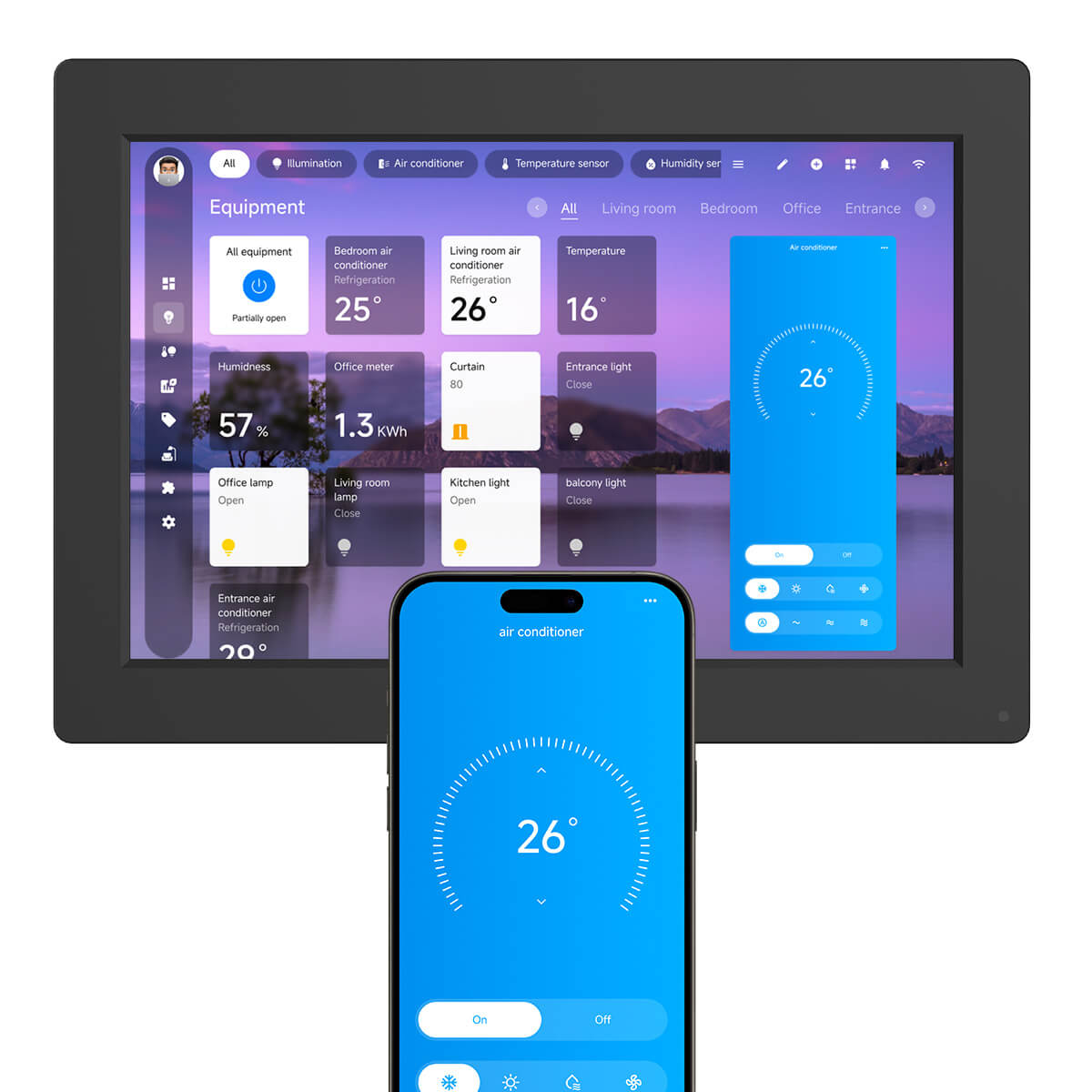
Освещение. Климат. Безопасность. Энергетический мониторинг.
Все, что вам важно, находится в одном месте, что делает ежедневный контроль простым и интуитивно понятным.
Создан для роста вместе с вашим умным домом
Начните с Display Max и расширяйте его, когда будете готовы.
Добавьте датчик присутствия, мониторинг климата, дистанционное управление и расширенную автоматизацию, не заменяя существующую настройку.


Автоматизация, которая вписывается в повседневную жизнь
От автоматического освещения до мониторинга комфорта и безопасности в каждой комнате — Display Max становится центром управления повседневными делами, которые вы будете использовать каждый день.
Сравнение с аналогичными продуктами
HTML-версия сравнительного контента, переработанная для SEO и удобства чтения на мобильных устройствах.
| Нуждаться | iSG Display Max | iSG Box SE | Общая панель планшета |
|---|---|---|---|
| Основная роль | Специализированный центр управления Home Assistant | Компактная база автоматизации Home Assistant | Общий экран приложения |
| Видимый ежедневный контроль | Да, построен на сенсорной приборной панели | Нет, предназначен для скрытого или шкафного размещения | Возможно, но не предназначено для использования в умном доме |
| Локальная автоматизация | Рабочие процессы локальной автоматизации Home Assistant | Рабочие процессы локальной автоматизации Home Assistant | Зависит от приложений и внешних сервисов |
| Расширение умного дома | Встроенный Zigbee, совместимые надстройки, расширение USB, где это применимо. | Расширение в стиле шлюза | Обычно требуются отдельные концентраторы или мосты |
| Лучше всего подходит | Прихожая, гостиная, спальня, кухня, кабинет, приборная панель медиа-комнаты | Скрытый концентратор Home Assistant для размещения в шкафу, стойке или подсобном помещении | Персональный просмотр, развлечения и мобильные приложения |
Independent perspectives
Creator Reviews
Six hands-on videos about iSG Display Max and iSG MAX. Titles and creator names are shown exactly as returned by YouTube.
THIS SMART HOME HUB BLEW ME AWAY - LinknLink iSG Display Max Review
Watch on YouTube
 The LinknLink iSG Display Might Be the Home Assistant killer.
Watch on YouTube
The LinknLink iSG Display Might Be the Home Assistant killer.
Watch on YouTube
 Smart Home Made Easy - Works Out of the Box! LinknLink iSG Intelligent Super Gateway Home Assistant
Watch on YouTube
Smart Home Made Easy - Works Out of the Box! LinknLink iSG Intelligent Super Gateway Home Assistant
Watch on YouTube
 LinknLink iSG MAX - Wolf in Sheeps Clothing
Watch on YouTube
LinknLink iSG MAX - Wolf in Sheeps Clothing
Watch on YouTube
 THIS IS IT!! This Is The One!! : LinknLink Super Gateway
Watch on YouTube
THIS IS IT!! This Is The One!! : LinknLink Super Gateway
Watch on YouTube
 ISG Display Max A Central Inteligente Mais Completa com Home Assistant + Zigbee + Matter + Docker
Watch on YouTube
ISG Display Max A Central Inteligente Mais Completa com Home Assistant + Zigbee + Matter + Docker
Watch on YouTube
Параметры продукта

| Название продукта | iSG Display Max |
|---|---|
| Отображать | 10-дюймовый сенсорный экран 1280x800 |
| Процессор | Четырехъядерный процессор 1,5 ГГц |
| ОЗУ/Хранилище | 4 ГБ/32 ГБ |
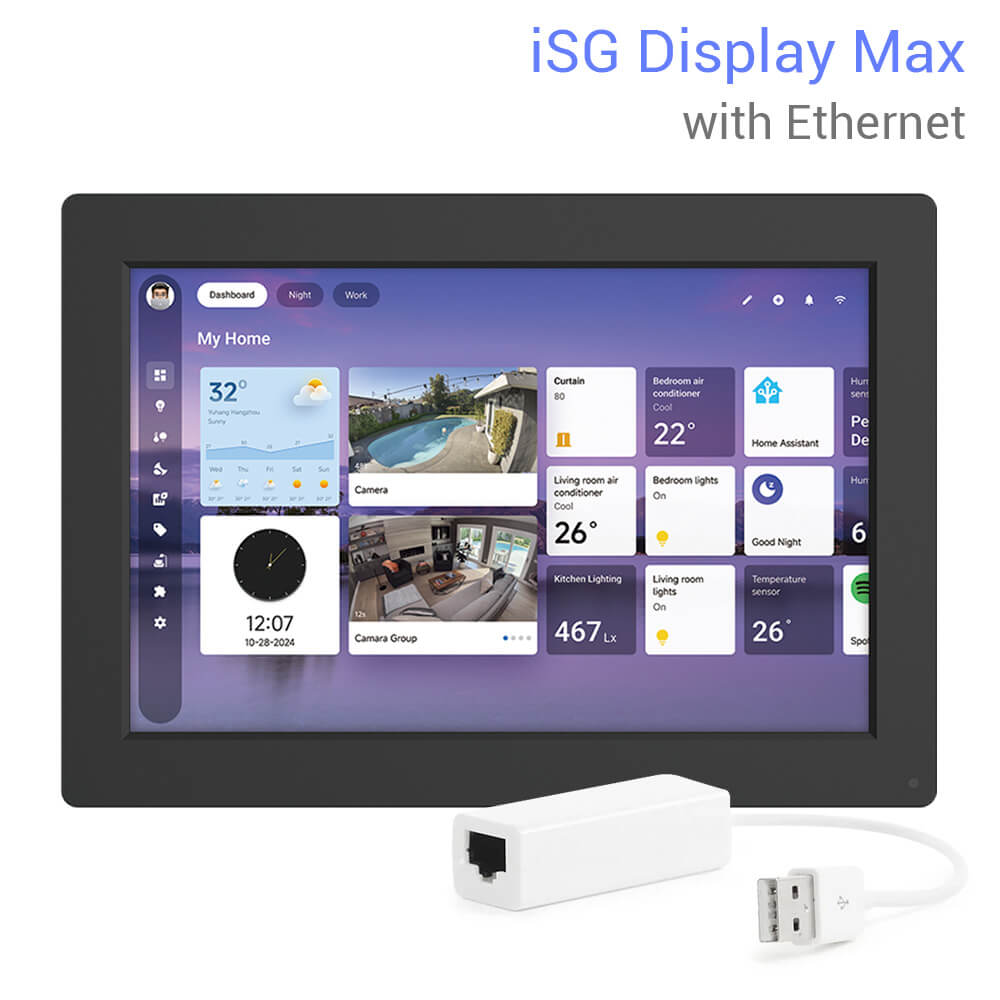
| Слот расширения | (Дополнительно) USB-адаптер Ethernet |
| Расширение | Z-Wave через совместимый USB-ключ; IR через eRemote HA; RF через eHome HA |
| Монтаж | При необходимости можно использовать настенную или настольную приборную панель. |
| USB-порты | 1 порт USB 2.0 типа A, 1 порт Micro USB 2.0 |
| Предустановленная прошивка | ОС Home Assistant |
| Беспроводные протоколы | зигби 3.0 и Matter |
| FCC ID | BXBI10261303 |
| Размер продукта | 257x180x26 мм |
| Условия труда | 0~50℃/<85% относительной влажности |
| Кнопка питания | Да |
| Власть | Адаптер питания 5 В/2 А. Доступные варианты вилок могут включать США, Австралию, ЕС и Великобританию в зависимости от продаваемой страны или региона. |
Продукты и руководства
Создайте полную локальную установку Home Assistant на основе iSG Display Max.
iSG Box SE
Используйте, когда вам нужна компактная скрытая база автоматизации Home Assistant.
Посмотреть iSG Box SEeMotion AIR
Датчик присутствия с батарейным питанием и встроенным датчиком температуры и влажности.
Посмотреть eMotion AIReMotion Pro
Добавьте проводной датчик присутствия mmWave и систему управления помещением IR.
Посмотреть eMotion ProeMotion Ultra
Добавьте датчик присутствия 60GHz для расширенной автоматизации помещений.
Посмотреть eMotion UltraeRemote HA
Добавьте AC, TV, вентилятор и другие устройства IR в сцены Home Assistant.
Посмотреть eRemote HAeHome HA
Добавьте совместимые шторы RF, переключатели и устройства с дистанционным управлением.
Посмотреть eHome HAUSB-ключ Zigbee 3.0
Используйте для установок Home Assistant, которым требуется дополнительное подключение Zigbee.
Посмотреть ключ ZigbeeeTHS2
Добавьте данные о температуре и влажности для комфортных и энергозатратных процедур.
Посмотреть eTHS2Кабель THS следует подключать только к устройствам, поддерживающим необходимый интерфейс USB-C. Не позиционируйте кабель THS как дополнение к eMotion AIR.
Узнайте больше об автоматизации Home Assistant
Прочтите наши руководства по настройке умного дома.
Изучите местные советы по управлению умным домом
Посмотрите идеи панели управления умным домом
Часто задаваемые вопросы
iSG Display Max - это планшет?
Нет. iSG Display Max позиционируется как специализированный центр управления Home Assistant, а не как обычный вычислительный планшет.
Работает ли iSG Display Max с Home Assistant?
Да. На странице продукта следует позиционировать его как приборную панель Home Assistant и ежедневную панель управления умным домом.
Может ли он запускать автоматизацию без Интернета?
Локальную автоматизацию Home Assistant можно продолжить, когда будут доступны необходимые локальные устройства и интеграции. Удаленный доступ или облачные сервисы могут зависеть от ваших настроек.
Есть ли у него камера или микрофон?
В текущем позиционировании продукта не указано ни камеры, ни микрофона. Это поддерживает видимое размещение информационной панели с приоритетом конфиденциальности.
Поддерживает ли он Zigbee?
Да. На странице должно быть описано, что iSG Display Max поддерживает встроенный Zigbee для совместимых устройств умного дома.
Могу ли я повесить его на стену?
Используйте текущую информацию на упаковке продукта, чтобы убедиться, включены ли монтажные принадлежности в комплект поставки или являются дополнительными. На странице можно расположить его для крепления на стене или на настольной приборной панели, где это применимо.
Какие устройства я могу подключить к нему?
Вы можете соединить его с совместимыми устройствами Home Assistant и надстройками LinknLink, такими как датчики eMotion AIR, eMotion Pro, eMotion Ultra, eRemote HA, eHome HA, eTHS2, BLE и аксессуарами Zigbee.
Подходит ли он для ежедневного управления умным домом?
Да. Это дает домочадцам фиксированное место для просмотра информационных панелей, диспетчерских, проверки состояния устройств и запуска повседневных процедур.